
ExpenseWise
LoginRegister
Logo
ExpenseWise
  • Vatika Business Centre, Tower A, 1st floor,Bhutani Cyber Park, Sector 62, Noida,Uttar Pradesh - 201309
  • Phone: 9311339967

  • Email: info@benefitwise.in

Solutions

  • Expense Management
  • Petty Cash
  • Fleet Management
  • Travel
  • Employee Benefits
  • HRMS Integrations
  • Perks & Rewards
  • Tax Optimizer

About

  • About ExpenseWise
  • FAQs & Support
  • Blog
  • Privacy Policy
  • Contact Us
  • Careers

Socials

socialsocialsocialsocial

Backed By

Startup India
Microsoft for Startups
AWS Activate
Solutions
  • Expense Management
  • Petty Cash
  • Fleet Management
  • Travel
  • Employee Benefits
  • HRMS Integrations
  • Perks & Rewards
  • Tax Optimizer
About
  • About ExpenseWise
  • FAQs & Support
  • Blog
  • Privacy Policy
  • Contact Us
  • Careers
Socials
socialsocialsocialsocial
Backed By
Startup India
Microsoft for Startups
AWS Activate

© 2026 Earnest Data Analytics Private Limited.

Petty Cash

Smarter Petty Cash. Full Control.

Give your team digital petty cash with purpose-based controls, real-time visibility and easy reconciliation.

Get Started
ExpenseWise petty cash dashboard on a laptop beside a phone showing Scan & Pay, with Team Meals, Local Travel and Office Supplies spends approved
Team MealsApproved
Office SuppliesApproved
Local TravelApproved
Team MealsApproved
Local TravelApproved
Office SuppliesApproved
  • ControlSpends
  • Purpose BasedLock
  • Real-TimeInsights
  • Auto RefundUnused Balance

How it works

Spend. Track. Done.

A simple and secure way to manage petty cash expenses.
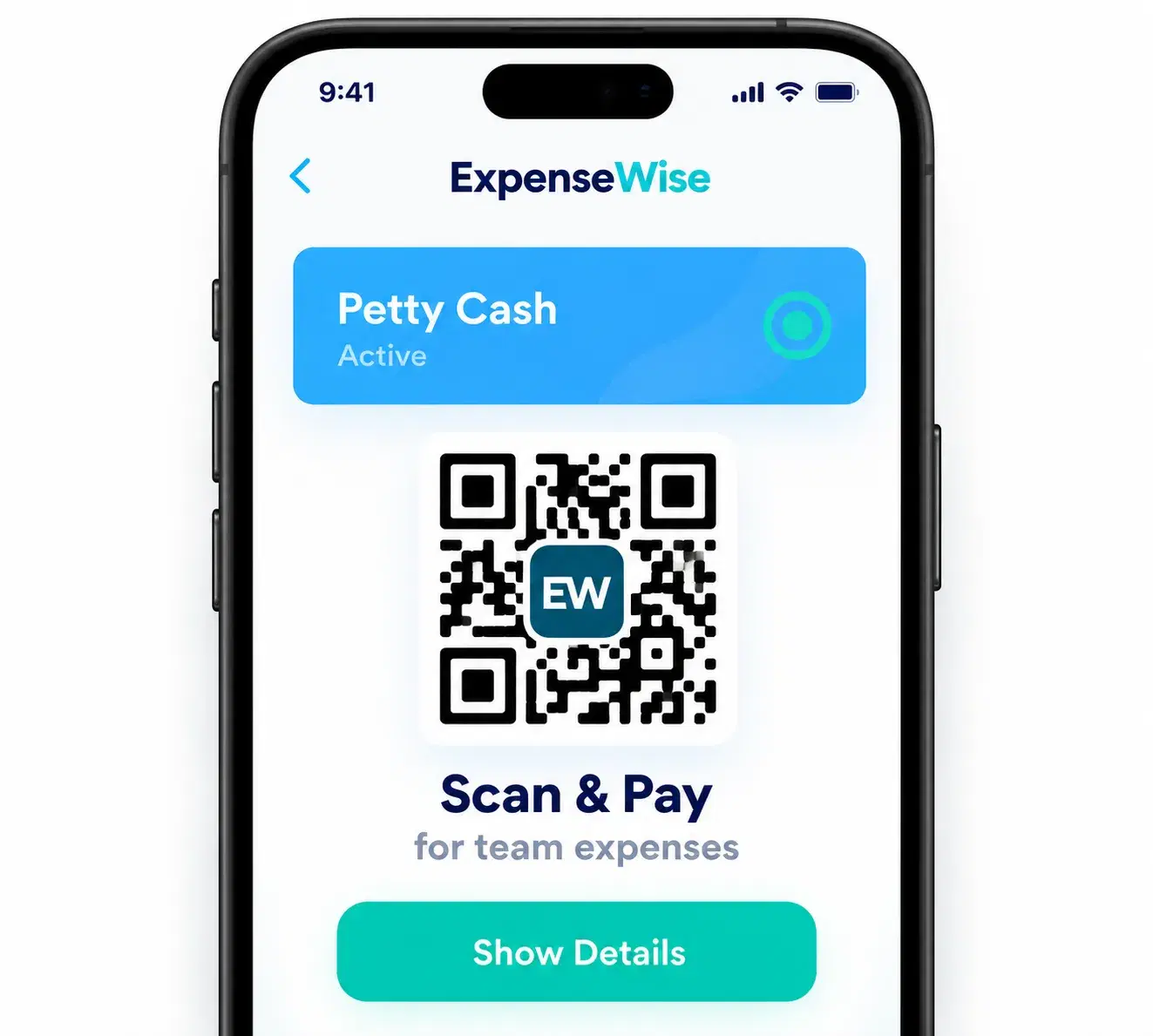
  1. ExpenseWise app showing an active petty cash wallet with its Scan & Pay QR code
    1

    Step 1: Open App

    Use your petty cash wallet in the ExpenseWise app.
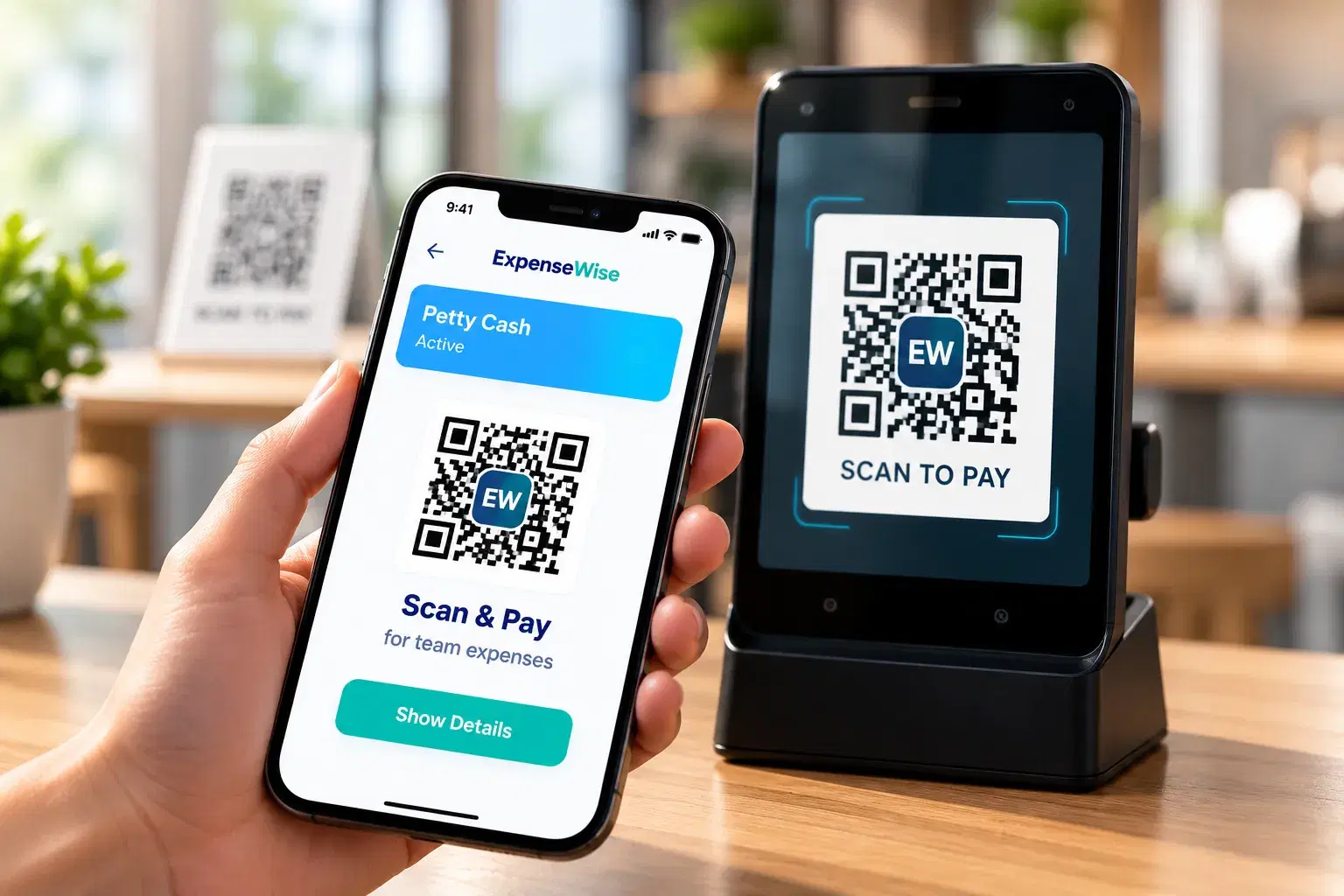
  2. Phone scanning a merchant QR code on a café payment terminal
    2

    Step 2: Scan the QR

    Scan at merchant outlets and make the payment.

  3. Green check mark beside a payment receipt
    3

    Step 3: It's Done

    Payment is recorded instantly in your app with a digital trail.

Full control

Purpose-Based Lock.

Set clear rules on how petty cash can be used.
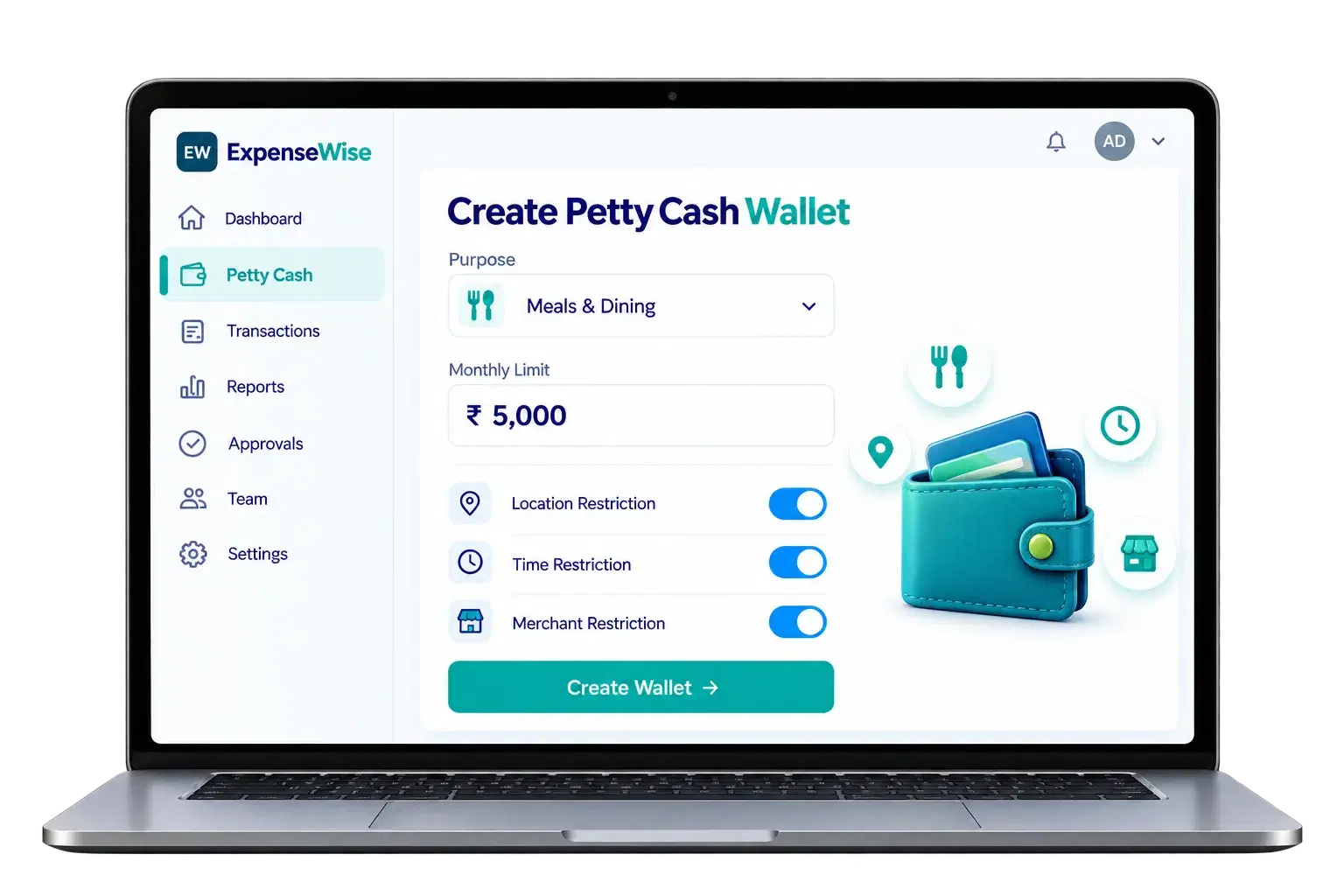
  • Meals & Dining
  • Transport & Local Travel
  • Office Supplies
  • Client Meetings
  • Others (Custom)
ExpenseWise Create Petty Cash Wallet screen: Meals & Dining purpose, ₹5,000 monthly limit, and location, time and merchant restrictions switched on

Real-time insights

See Every Spend.

Track usage, categories and balances in real time.

Total Spent

₹32,450₹32,450

12%vs last month

JanFebMarAprMayJun
Monthly spend rising steadily from January to June
₹32,450
  • Meals38%
  • Transport22%
  • Office Supplies18%
  • Client Meetings12%
  • Others10%

Auto refund

Unused balance?
Automatically refunded.

Any unused amount at the end of the period is automatically refunded to your company.

  1. Wallet Limit₹ 10,000
  2. Spent₹ 7,350
  3. Auto Refund₹ 2,650₹ 2,650Back to Company

Key benefits

Everything You Need for Smarter Petty Cash.

  • Control Spends

    Set limits and restrictions.

  • Digital Trail

    Every transaction in your app.

  • Real-Time Insights

    Track usage and manage better.

  • Auto Refund

    Unused balance is automatically refunded.

Ready to get started

Simplify Petty Cash for Your Team.

More control. More transparency. More savings.

Get Started
Laptop on a desk showing the ExpenseWise petty cash transactions list